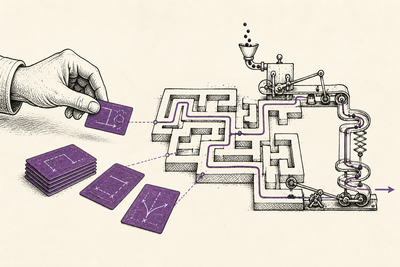
Everyone has had the feeling by now.
You see someone running several coding agents at once. Someone else has a background assistant triaging emails. A founder says their team is "fully agentic". A new demo appears where a manager agent delegates work to subagents, watches the results, and reports back.
Then you look at your own workflow and wonder whether you're behind because you're still asking Claude, ChatGPT, or Gemini questions in a web app.
I don't think that is the right question.
The better question is: what part of the work have you actually delegated?
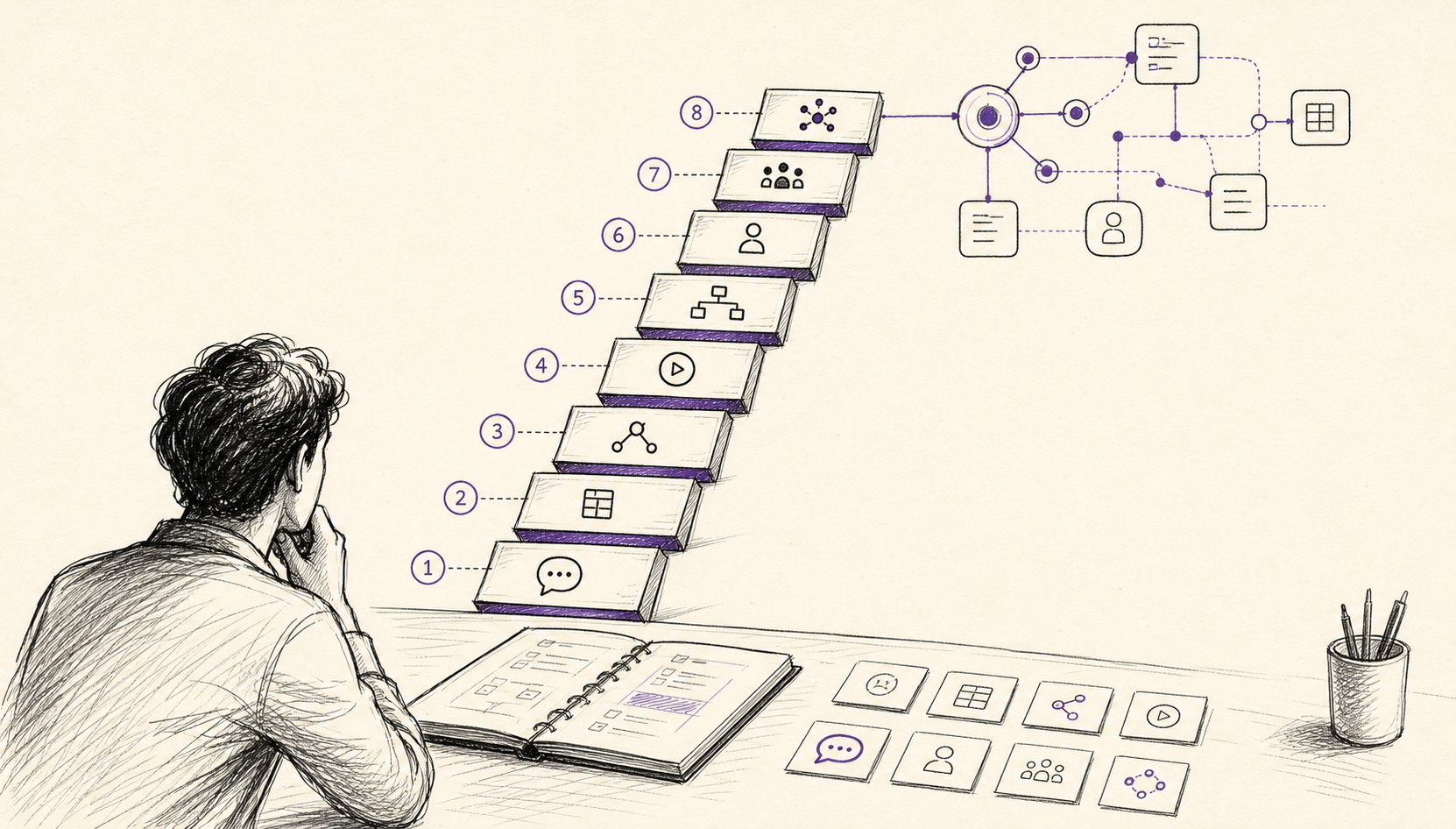
Every's guide to the eight levels of AI adoption is useful because it gives names to the progression: chatbot, copilot, agent, autopilot, workflows, assistant, multi-agent, and orchestrator. I read it less as a status ladder and more as a map of trust. At each level, the AI gets more context, more tools, more freedom, or more responsibility for coordination.
That distinction matters because a higher level is not automatically better.
Sometimes the mature move is to stay low on the ladder because the work is high-stakes, messy, personal, legally sensitive, or hard to verify. Sometimes the immature move is to hand the task to an agent just because the tool has an agent label in the product name.
AI proficiency is not whether you have memorised the newest terminology.
It is whether you know how much work the system can own before your judgement, your data, or your standards start leaking out of the process.
I also made this into an interactive diagnostic: AI Proficiency Self-Assessment. The assessment separates operating behaviour from buzzword recognition, because those are now two different skills.
What the ladder measures
The ladder is not measuring intelligence.
It is measuring the operating model around the AI.
There are five things to watch:
- interface: where the AI sits in relation to the work
- context: what the AI can see without you pasting it in
- action: what the AI can do outside the chat box
- autonomy: how often it needs you to approve the next step
- verification: how the system tells whether the work improved
The first three are easy to see. A chatbot is obviously different from an agent that can inspect a repo, browse the web, call tools, and edit files.
The last two are where people misread themselves.
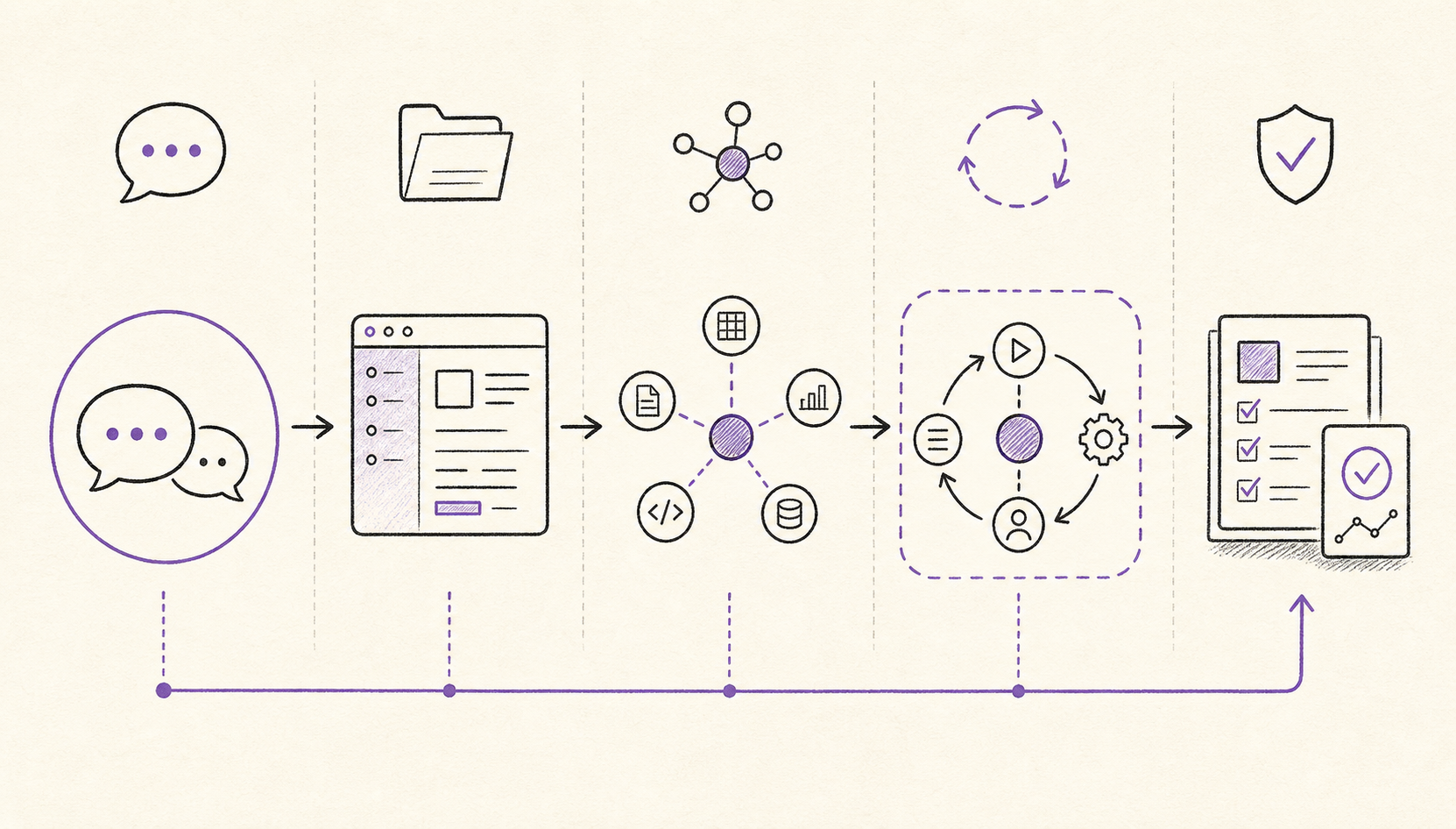
You can be using a powerful tool and still be operating at a low level if you only use it as a chat surface. You can also be using a simple tool at a surprisingly high level if you have built a disciplined workflow around it: source material in, checks in the middle, review at the end, and a reliable way to catch regressions.
The level is not the product.
The level is the relationship between the task, the context, the tool permissions, and the review loop.
Level 1: Chatbot
This is the familiar shape.
You ask. It answers.
The AI lives in a chat window. It can draft, explain, summarise, translate, brainstorm, rewrite, compare, or reason through something you provide. It may have search, memory, file upload, image, or voice features depending on the product, but the operating model is still prompt in, response out.
The obvious examples are the web apps people already know: ChatGPT, Claude, and Gemini. The product may be powerful. The level is still Level 1 when the working pattern is: ask a question, inspect an answer, then manually move the result into the real work.
This is not a beginner-only level.
There is a lot of real value here. A good chatbot workflow can improve thinking, writing, planning, lesson design, research preparation, code understanding, or feedback. The user is still the person holding the context and deciding what counts as good.
The skill at this level is context packaging.
You learn to give the model the right task, enough background, a useful format, and clear standards. You learn when to ask for options rather than answers. You learn how to challenge the output instead of accepting the first confident paragraph.
Good fit:
- drafting and rewriting
- explaining unfamiliar concepts
- summarising material you provide
- turning rough notes into structure
- exploring arguments before you commit to one
Failure mode:
The model sounds finished before the work is finished.
At Level 1, the AI can make a weak answer feel coherent. If you ask for current information without giving it sources, or ask for professional judgement in an area where you cannot assess the result, fluency becomes a trap.
Ready to move up:
You repeatedly paste the same files, emails, notes, snippets, spreadsheets, or screenshots into chat before asking for help. That is a sign the AI should probably live closer to the work.
Level 2: Copilot
At Level 2, the AI moves into the workspace.
It is not waiting in a separate chat tab. It sits beside the document, spreadsheet, codebase, inbox, CRM, browser, or design surface. It can see local context that you would otherwise have to paste manually.
This is the level of AI embedded in the work surface: a writing assistant inside a document, a coding copilot inside an IDE, a spreadsheet assistant inside a workbook, a browser assistant that can see the current page, or a CRM assistant that can answer questions about the current account.
Examples include Microsoft Copilot in Excel, Atlassian Rovo across Jira and Confluence-style teamwork, Claude for Excel, GitHub Copilot inside developer workflows, and Gemini inside Google Workspace apps. The common pattern is not the brand. The common pattern is that the model is sitting closer to the work, with local context you do not have to paste from scratch.
The practical change is friction.
At Level 1, you carry the context to the model. At Level 2, the model can read enough of the surrounding workspace to make smaller, faster suggestions.
The skill at this level is selective acceptance.
You stop treating the AI as a source of final answers and start treating it as a collaborator that can suggest, fill, patch, reformat, and accelerate. You still decide what stays. That judgement gets more important, not less, because the output is now closer to production material.
Good fit:
- inline writing and editing
- code completion and small refactors
- spreadsheet formula help
- document search and rewrite
- CRM, email, and knowledge-base assistance
Failure mode:
Local optimisation.
The copilot can improve the sentence in front of it while weakening the argument. It can complete code that fits the nearby pattern while missing the larger architecture. It can tidy a spreadsheet without understanding the business rule behind the numbers.
Ready to move up:
You no longer only want suggestions. You want the AI to carry out a bounded task across several steps, check intermediate results, and ask before doing risky things.
Level 3: Agent
This is where the word "agent" starts to earn its keep.
An agent can take a goal, plan a sequence of steps, use tools, inspect results, and continue. It may browse, search files, call APIs, run code, edit documents, query databases, or use a terminal. It often asks for approval before taking meaningful actions.
This is where examples like Claude Cowork, OpenAI Codex, and Claude Code belong when they are used to carry a task through tool calls rather than simply answer questions. Every's original ladder also names Cowork and Codex here, which is the right instinct: the important point is that the system can plan, act, observe, and continue.
OpenAI's Agents SDK docs describe agents as applications that can plan, call tools, collaborate across specialists, and keep enough state to complete multi-step work. That is a good working definition for builders. For users, the simpler test is whether the AI is now doing work in a loop rather than just producing text.
The important shift is that the AI is no longer only producing text.
It is operating inside a loop:
- decide the next step
- use a tool
- observe the result
- update the plan
- continue or ask for approval
The skill at this level is task specification.
You need to describe the outcome, the constraints, the allowed tools, the stopping point, and what evidence should be shown back to you. Vague prompting gets more expensive here because the system can now take vague action.
Good fit:
- research with source collection
- repo exploration
- small code changes with tests
- structured document production
- data cleanup where the rules are explicit
- workflow setup where the agent can show intermediate work
Failure mode:
Approval theatre.
The agent asks for approval so often that you are effectively still driving. You click through prompts without deeply inspecting them, so the process feels safer than it is. The agent has enough freedom to make mistakes but not enough structure to make progress cleanly.
Ready to move up:
You have a task with a clear definition of done, the environment is safe enough for unattended work, and the review criteria are stronger than "looks fine".
Level 4: Autopilot
At Level 4, you stop approving every step.
You give the agent a bounded task, let it work, and review the result afterwards. This is common in coding tools, prototype builders, and task runners where the agent can edit files, run commands, or assemble a working output without stopping every few minutes.
The word "autopilot" is slightly dangerous because it sounds cleaner than the reality.
The useful version is not "the AI does whatever it wants". The useful version is "the AI can complete a reversible, bounded task inside a controlled environment, then show me what changed".
Claude Code's permission modes make the tradeoff explicit. You can run with close approval, loosen edit permissions, or use the more dangerous bypass-style modes, including --dangerously-skip-permissions, when the environment is disposable enough. The existence of that option does not make it mature. The maturity comes from the branch, sandbox, tests, logs, and rollback around it.
GitHub Copilot cloud agent is another useful Level 4 reference because it can research a repository, make code changes on a branch, and let you review the diff or pull request afterwards. That is closer to autopilot than a chat assistant: you delegate a contained coding task, then inspect what happened.
The skill at this level is containment.
You need sandboxes, branches, snapshots, permission boundaries, tests, rollback, and clear acceptance criteria. If the agent can take action without asking, the environment has to absorb mistakes.
Good fit:
- prototype pages
- code changes with test coverage
- content transformations with a review pass
- low-risk admin tasks
- batch cleanup work where mistakes are easy to detect
Failure mode:
Silent wrongness.
The agent finishes the task, and the output looks plausible. But it changed the wrong file, removed nuance, missed an edge case, leaked context across tasks, or produced work that passes the superficial check and fails the real one.
Ready to move up:
You keep repeating the same autopilot pattern and manually adding the same sources, checks, review steps, and publishing actions. That means the value has moved from a single agent run to a repeatable workflow.
Level 5: Workflows
Level 5 is less glamorous and more important than people expect.
This is where you build a system around the AI so the output becomes professional enough to reuse. The AI is not merely answering or acting. It is one part of a repeatable workflow.
The sharper version of Level 5 is not "use AI to help me solve this once". It is "use AI to help me build the capability that solves this kind of work again".
That usually means packaging skills, plugins, and MCP tools together. A skill or plugin gives the model local instructions, examples, scripts, commands, hooks, and resources. MCP tools give it a clean way to reach external context and actions. Together, they turn a prompt into a small operating system for a task.
The package might include a SKILL.md, but it should not stop there. It might also include Python scripts that normalise data, JavaScript checks that validate output, prompt templates, source-routing rules, a Playwright test, a small CLI, a custom MCP server, and a hook that blocks completion until the checks pass.
Claude Code plugins are a good example of the shape because they can bundle skills, agents, hooks, and MCP servers. Claude Code skills show the smaller unit: instructions plus supporting files and scripts that Claude can use when a task matches. GitHub's Copilot cloud agent documentation points in the same direction with custom instructions, MCP servers, custom agents, hooks, and skills as ways to customise agent work.
A workflow might include:
- source retrieval
- packaged skills or plugins
- MCP tools
- Python or JavaScript helper scripts
- templates and instructions
- structured outputs
- guardrails
- human review
- evals
- CI checks
- audit logs
- approval queues
- publishing steps
The Model Context Protocol specification is relevant here because MCP gives applications a standard way to connect language models to external context, resources, prompts, and tools. It does not magically make a workflow good. It gives the workflow a cleaner integration layer.
The skill at this level is process design.
You stop asking, "Can AI do this task?" and start asking, "What system would make this task repeatable, inspectable, and worth trusting?"
That usually means boring decisions.
Where does the source material come from? What should never be used? What schema should the output follow? Which helper script should transform the data before the model sees it? Which MCP tool should fetch live context? Which check runs before a human sees the result? What gets logged? Who can approve? What happens when the system is unsure?
Good fit:
- content pipelines
- support triage
- document review
- lesson and resource generation
- code review assistants
- research briefs
- data extraction
- compliance-sensitive drafting with review
- internal toolmaking, where the agent writes the script, skill, or plugin that makes the next run better
Failure mode:
Automating a weak judgement process.
If the workflow only makes bad output faster, it is not a workflow maturity gain. It is a throughput problem wearing an AI costume.
Ready to move up:
The workflow has enough structure that it can run from events rather than direct prompts. Something happens in the world, and the assistant knows what to inspect, draft, flag, or escalate.
Level 6: Assistant
At Level 6, the AI becomes proactive.
It does not wait for a prompt every time. It runs in the background, watches a queue or environment, and acts when a trigger appears.
This might be an assistant that monitors a support inbox, watches a calendar, checks a repo for failures, tracks renewal risk, summarises customer feedback, drafts follow-ups after meetings, or flags changes in a research area.
Dimension.dev is a useful earlier example of the idea: an AI work assistant connected to your apps that understands enough context to get things done on your behalf. For current assistant-style examples, OpenClaw and Hermes Agent are the kind of products I would look at in this category because they are closer to long-running work surfaces than one-off chat windows.
Microsoft's Copilot Studio release notes show how quickly this layer is becoming normal enterprise language: computer use, asynchronous responses for long-running flows, agent evaluations, agent inventory, agent identities, multi-turn tests, Work IQ context, and A2A connections. That vocabulary is not just branding. It reflects the operational pieces required for background agents to run inside organisations.
The skill at this level is policy design.
A background assistant needs rules for when to act, when to ask, when to ignore, when to escalate, and when to stop. It also needs access boundaries. A proactive agent with stale context or excessive permissions is worse than a passive chatbot.
Good fit:
- inbox and ticket monitoring
- meeting follow-up drafts
- repo or CI watch tasks
- CRM and renewal alerts
- routine research monitoring
- queue triage where action categories are stable
Failure mode:
Uninvited action.
The assistant becomes noisy, wrong, or too confident. It drafts when it should wait. It alerts too often. It makes assumptions from partial context. It creates work in the name of saving time.
Ready to move up:
You are no longer running one assistant. You are managing several agents with separate jobs, contexts, and outputs, and the hard part is coordination.
Level 7: Multi-agent
Level 7 is where parallelisation becomes visible.
You might run several coding agents at once. One explores a codebase, another drafts a feature, another writes tests, another checks docs, and another reviews the diff. Or you might have agents for research, customer analysis, content, support, data cleanup, and reporting.
In practice this often looks like running Codex and Claude Code in parallel, or asking Claude Code to call other harnesses rather than treating it as the only worker. One agent might open a Codex task against a repo. Another might run Claude Code with a narrow plugin and MCP setup. Another might call a browser harness, a spreadsheet pipeline, or a Python evaluation script. The human is still deciding what goes where and which result wins.
That is why Level 7 is about parallelisation, not just "I used more than one model". Multiple chats are comparison. Multi-agent work is parallel delegation with separate briefs, separate contexts, and return surfaces that can be reconciled.
This is not yet full orchestration. The human is still the coordinator.
The skill at this level is delegation.
You need to write good briefs, split tasks cleanly, keep contexts separate, and reconcile the results. The agent outputs do not automatically compose into one answer. Someone has to notice duplication, contradiction, partial completion, and drift.
Good fit:
- parallel research
- independent implementation attempts
- code review plus implementation
- competing drafts
- agent-based QA
- broad audits where each agent owns one slice
Failure mode:
Context silos.
Agent A discovers one constraint. Agent B never sees it. Agent C finishes a task that conflicts with both. Everything looks active, but the system has no shared truth. The user ends up doing the hardest coordination work after the fact.
This is also where "completed" and "resolved" start to diverge. An agent may complete the task it was given while leaving the real problem unresolved.
Ready to move up:
You can describe the handoff contracts between agents. You know what state they share, what they keep separate, how they report uncertainty, and how the system decides which result wins.
Level 8: Orchestrator
At Level 8, coordination itself becomes part of the system.
An orchestrator agent breaks down a larger goal, delegates subtasks to specialist agents, tracks state, gathers outputs, resolves conflicts, and escalates decisions that require a human.
This is the level people usually imagine when they say "agent workforce". It is also the easiest level to fake in a demo.
Every's ladder points to examples like Gas Town, Paperclip, and Symphony at this level. I read those less as a settled product category and more as the direction of travel: a manager layer that can assign work to specialist agents and keep the state coherent while they run.
Google's Agent Development Kit documentation is a useful reference because it names the actual patterns: parent and sub-agent hierarchies, sequential pipelines, parallel fan-out and gather, loop agents, coordinator or dispatcher patterns, review and critique loops, iterative refinement, and human-in-the-loop. Google's Agent2Agent protocol extends the same problem across platforms by giving agents a way to communicate, coordinate, and handle long-running tasks.
The skill at this level is orchestration design.
You need more than agents. You need state. You need ownership. You need typed handoffs. You need evals. You need budget limits. You need logs. You need a way to pause the system without destroying context. You need a way to tell whether the final output is better than the best single-agent attempt.
Good fit:
- complex software delivery with narrow subtask boundaries
- multi-source research synthesis
- enterprise workflow automation
- repeated operations work with measurable outcomes
- long-running tasks where status, state, and escalation are explicit
Failure mode:
The orchestrator becomes a confident middle manager for a pile of unresolved work.
It can make the system feel organised while errors move between agents. A bad source, a weak assumption, or a missing requirement can travel through the chain and come back as a polished final report.
Ready to stay at this level:
The orchestrator has real evaluation and escalation paths. It can show what each agent did, why it chose the next step, what evidence supports the result, what failed, what was retried, and what still needs human judgement.
Without that, Level 8 is mostly theatre.
Why people overestimate their level
The terminology is moving faster than the habits.
That creates a predictable problem: people name the tool they use instead of describing the way they work.
Using ChatGPT, Claude, or Gemini in a web app does not automatically mean Level 1 if you are connecting it through a workflow with retrieval, evals, review, and publishing. Using an agent-branded product does not mean Level 3 if you are only asking it questions in chat. Running a coding assistant in "YOLO mode" does not mean Level 4 if the environment has no tests, no sandbox, and no rollback. Using multiple agents does not mean Level 8 if you are manually stitching the outputs together afterwards.
The labels are useful only when they describe behaviour.
Here is the quick diagnostic:
- If the AI only answers, you are probably at Level 1.
- If it sits inside your file or app, you are probably at Level 2.
- If it plans and uses tools with your approval, you are probably at Level 3.
- If it finishes bounded work before you review, you are probably at Level 4.
- If a repeatable system turns AI output into reviewed work, you are probably at Level 5.
- If it acts from triggers in the background, you are probably at Level 6.
- If you manage several long-running agents yourself, you are probably at Level 7.
- If a coordinating agent manages specialist agents with state and checks, you are probably at Level 8.
Most people are spread across levels.
That is normal. I might be Level 1 for a sensitive personal decision, Level 2 when writing in a document, Level 4 for a contained coding change, Level 5 for a content pipeline, and Level 7 when deliberately running several agents against separate research tasks.
The right level depends on the task.
The infrastructure comes before the autonomy
The higher levels look exciting from the outside because the visible behaviour is autonomy.
The useful part is the infrastructure underneath it.
Before you move up, ask what has changed in these areas:
- context: what can the AI see, and what is stale?
- tools: what can it call, edit, send, delete, or publish?
- permissions: what actions need approval?
- grounding: which sources are trusted?
- evals: what does good look like?
- observability: can you see what happened?
- rollback: can you undo the work?
- budget: what can it spend in time, tokens, money, and attention?
- escalation: when does it stop and ask?
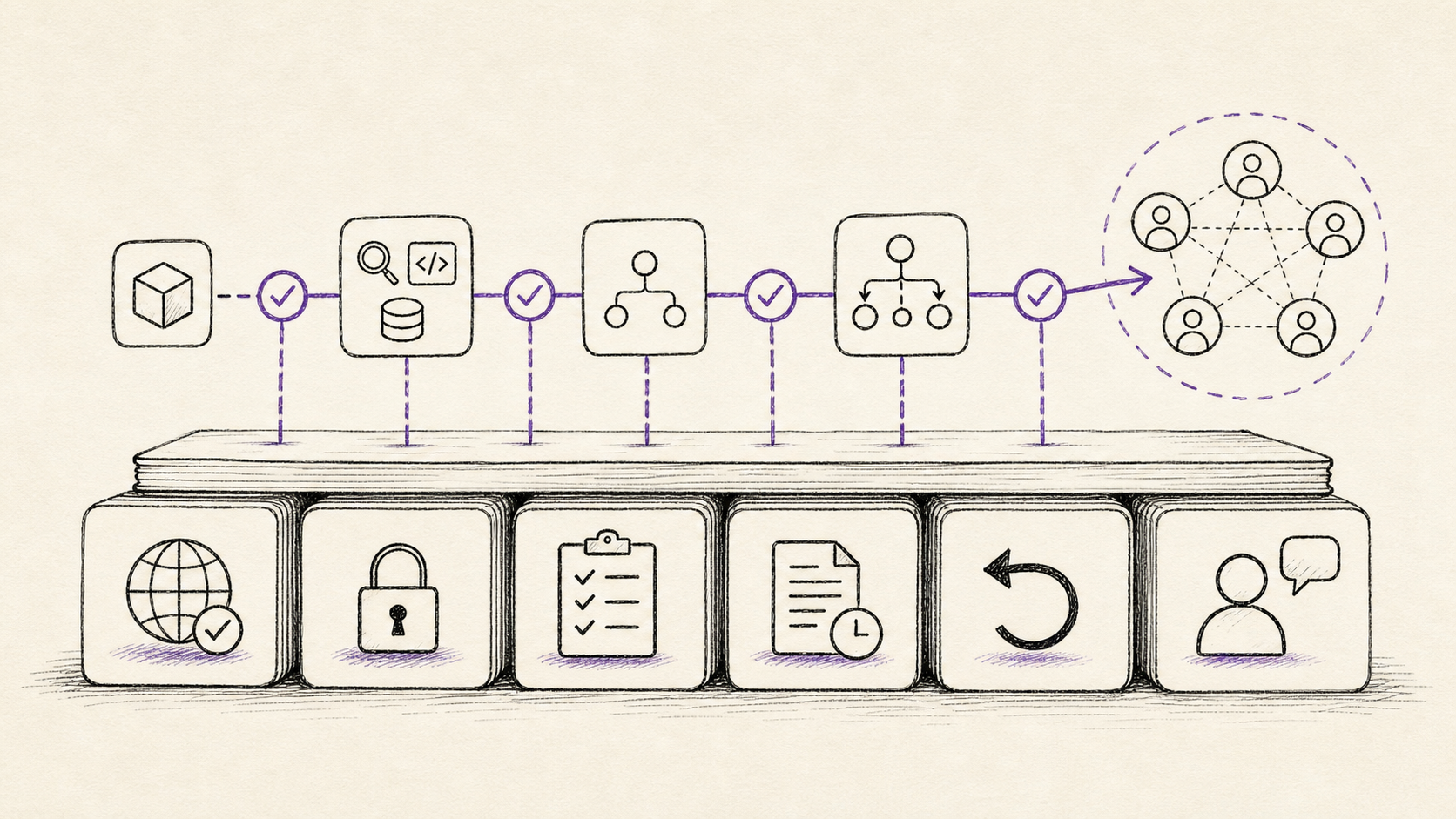
Anthropic's Claude Code subagent guidance is a good example of how practical this gets. The useful patterns are not mystical: research before implementing, separate contexts, hooks that block completion when checks fail, and subagents with narrow responsibilities. The same logic shows up across OpenAI guardrails and tracing, Google ADK orchestration patterns, MCP tool boundaries, and Copilot Studio evaluations.
This is the part many people want to skip.
They want Level 8 behaviour with Level 1 review habits.
That is usually where the mistakes get expensive.
The self-assessment
I built the AI Proficiency Self-Assessment as a companion to this piece.
It works through two lenses.
First: how do you actually use AI?
That part looks at context, tool use, approval patterns, verification, repeatability, background triggers, and multi-agent coordination.
Second: how current is your terminology?
That part checks whether terms like MCP, A2A, handoffs, guardrails, evals, subagents, computer use, and human-in-the-loop mean something concrete to you, or whether they are just labels you've seen in product announcements.
The assessment is deliberately not a purity test.
Someone can have a low terminology score and still use AI well for their work. Someone can know every new term and still be operating unsafely. The useful result is the gap between the two.
If your behaviour level is higher than your terminology level, you may be doing good work without knowing the current names for the pieces.
If your terminology level is higher than your behaviour level, you may be fluent in the discourse but not yet set up to use the tools safely.
Both are fixable.
Try this prompt
Place one real workflow I use on the eight-level AI proficiency ladder. Do not score the tool name. Score the operating model: context access, tools, approvals, verification, repeatability, background triggers, multi-agent coordination, and rollback. Tell me the current level, the honest cap imposed by my weakest safety or review habit, and the smallest experiment that would move the workflow up one level without increasing risk.
Related on this site
- AI Proficiency Self-Assessment is the interactive diagnostic for this framework.
- AI Is Moving From Chatbots to Operating Systems gives the broader architecture story behind the same shift.
- Five Levels of Running Claude Code More Autonomously is the coding-specific companion for autonomy, subagents, hooks, and evaluation loops.
- How Agents Actually Talk to Each Other is the deeper piece on handoffs, shared threads, swarms, and A2A-style coordination.
Sources
- Every: The Eight Levels of AI Adoption
- OpenAI Help Center: What is ChatGPT?
- Claude Help Center: Get started with Claude
- Google Gemini
- Google Workspace AI tools
- Microsoft Support: Get started with Copilot in Excel
- Atlassian Support: What is Rovo?
- Claude Help Center: Use Claude for Excel
- GitHub Copilot
- Claude Help Center: Get started with Claude Cowork
- OpenAI Help Center: Using Codex with your ChatGPT plan
- Claude Code overview
- Claude Code permission modes
- GitHub Docs: About GitHub Copilot cloud agent
- Claude Code plugins
- Claude Code skills
- OpenAI Agents SDK docs
- Claude Code subagents docs
- Anthropic: How and when to use subagents in Claude Code
- Dimension.dev
- OpenClaw
- Hermes Agent
- Model Context Protocol specification
- Google ADK multi-agent systems
- Google: Announcing Agent2Agent Protocol
- Microsoft Copilot Studio: What's new