Voice assistants have always had the right input method attached to the wrong kind of system.
Talking is fast. It is natural. You can do it while walking, cooking, looking at something else, or trying to hold an unfinished thought in your head.
Then the assistant behind the microphone asks you to repeat yourself, gives you a small answer, sets a timer, or quietly reaches the edge of what it can do.
I stopped expecting much from voice assistants a long time ago.
ChatGPT Voice, powered by GPT-Live in the new ChatGPT desktop app, has changed that feeling for me.
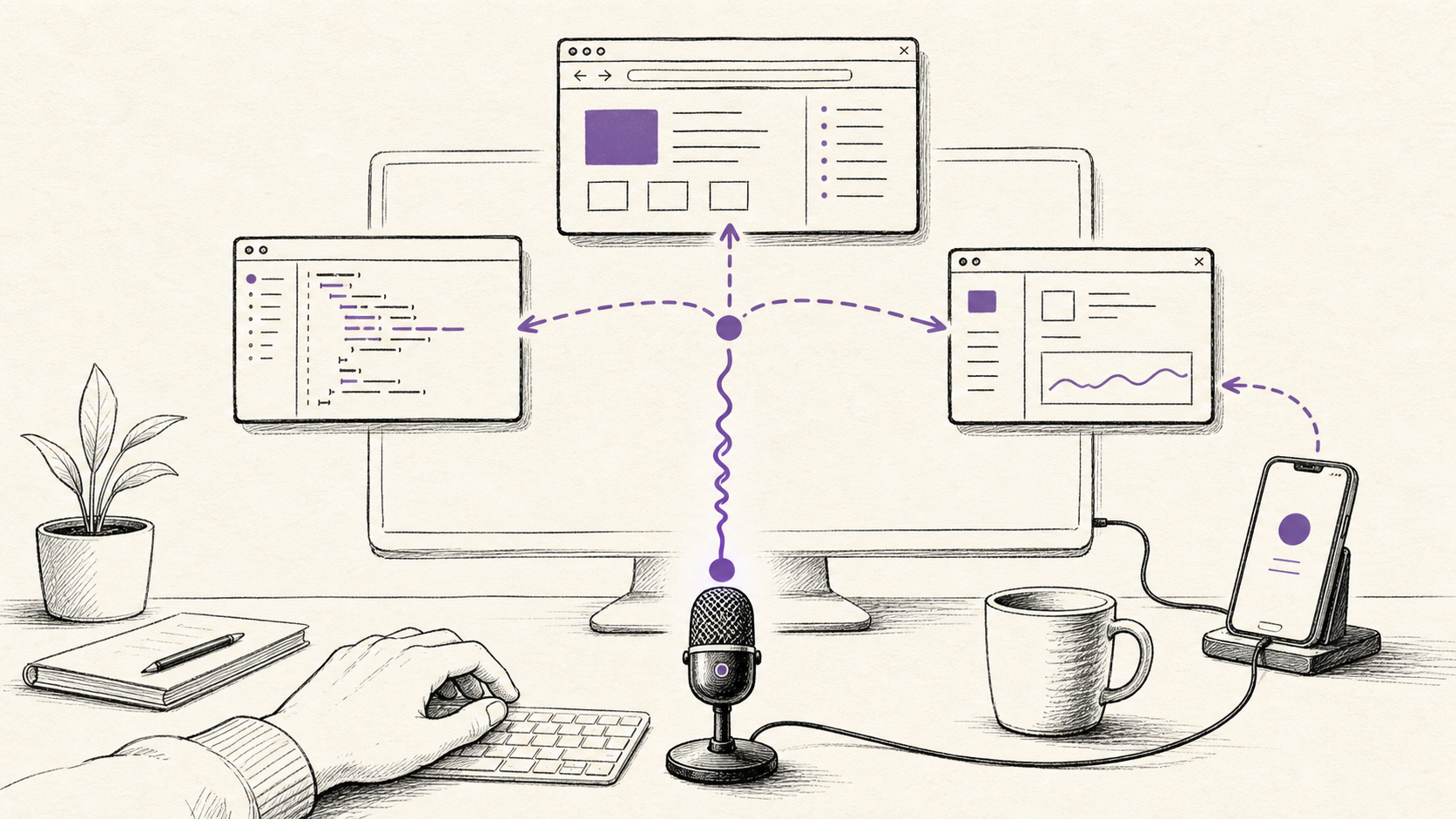
I can talk to it, interrupt it, redirect it, ask it to look something up, send a piece of work into Codex, and check how that work is going. On a Mac, I can say, "Take a look at this," and give it the frontmost window as context. I can pair my phone with the computer and continue the same work away from the keyboard.
That feels a little crazy.
For the first time, voice feels attached to the actual computer rather than sitting beside it.
The useful part sits behind the voice
OpenAI merged Codex into the ChatGPT desktop app on 9 July 2026. Codex kept its dedicated coding experience, but it now sits beside Chat and Work in the same app.
The GPT-Live update arrived two weeks later. Voice can now coordinate tasks across those three surfaces.
That detail is more important than the quality of the voice itself.
The conversation can start a separate thread for longer work, check an existing thread, and send follow-up instructions. It can bring progress, blockers, and results back into the voice conversation while the other task continues.
So the interaction can sound quite ordinary:
- Look this up and compare the current options.
- Start a Codex task to check the implementation.
- What did that other task find?
- Change the direction. Keep the first part, but drop the rest.
Each sentence is small. The system behind it is not.
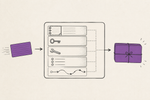
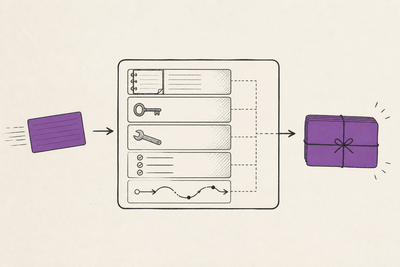
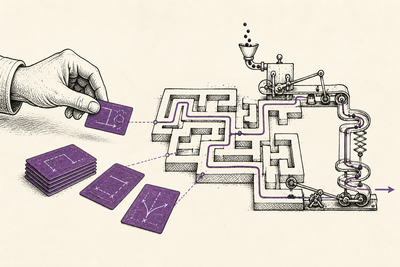
The voice conversation is coordinating work that can persist outside the current exchange. It can route a request into a task, return to it later, and let me steer it without first finding the correct window and reconstructing the context.
This is close to the direction I wrote about in AI moving from chatbots to operating systems. The conversational layer starts to sit above files, tools, browsers, tasks, and applications. I say what I am trying to do. The system decides where that work should happen, then gives me a way to supervise it.
GPT-Live powers the spoken conversation. It does not personally become the browser, the coding agent, or the desktop controller. ChatGPT Voice coordinates tasks in Chat, Work, and Codex, and those tasks use the tools and permissions available to them.
That distinction keeps the claim honest. It also makes the product more interesting.
Siri still feels like a command line
Siri is the obvious comparison because it trained me to think of a voice assistant as a thin command surface.
In my own use, I give Siri one request and expect one action. Set a timer. Start a call. Play something. Tell me the weather. The interaction is useful when the request maps cleanly to a known command.
Once the task becomes open-ended, persistent, or dependent on context from somewhere else, I usually reach for the screen.
ChatGPT Voice feels different because the conversation can remain open while the work branches.
I do not need every sentence to map to one predefined action. I can describe the outcome, let it start a longer task, ask what is happening, and change direction. The system can keep track of work happening in other threads instead of treating each spoken request as a fresh command.
This is much closer to how I wanted Siri to work.
The improvement is not that ChatGPT sounds more human. A pleasant voice is nice, but that wears off quickly. The useful change is that the assistant has somewhere meaningful to send the request.
It has tasks. It has tools. It has context. It can come back with evidence.
Browsing makes voice practical
I can now ask the system to browse the web as part of the same flow.
The built-in Browser can open websites, gather current information, and take action while I remain in control. In Work or Codex, Computer Use can open pages, click, type, inspect the rendered state, take screenshots, and verify what happened.
That changes the shape of a spoken request.
"Find the current answer" can become research rather than recall. "Check the page" can become an inspection of the live site. "See whether this still works" can become a browser task with a visible result.
The browser has its own profile and permission model. ChatGPT asks before using a website unless that site has already been allowed, and sensitive actions still require confirmation. Pages are untrusted input. A website can contain misleading instructions, so browsing through an agent needs the same care as browsing manually, plus a little more.
Still, the connection between speech and the live web is powerful.
Older assistants often made voice feel like a shortcut into a small knowledge base. This feels like a shortcut into a working process: search, open, compare, inspect, report.
"Take a look at this" removes a lot of explanation
Voice becomes far more useful when the system can see what I am referring to.
On macOS, ChatGPT Voice can use Screen context. I can bring a window to the front and say, "Take a look at this." ChatGPT takes an appshot and uses it as context.
An appshot can include the image of the frontmost window and text the application makes available, including some text outside the visible scroll area. That makes it useful for an error message, a design, a settings panel, a document, or a page that would be tedious to explain line by line.
The natural interface is deictic: this thing, this window, this error, this part.
Humans talk that way constantly. Computers usually force us to translate the reference into a path, a screenshot, a copied block of text, or a detailed prompt. Screen context reduces that translation.
There is an obvious privacy boundary. The app may receive more accessible text than is visible on screen, so I would not casually point it at a window containing sensitive information. Screen Recording and Accessibility permissions deserve the same care as any other broad computer permission.
Within that boundary, the experience is remarkably direct. Look. Talk. Act.
The phone link changes the whole feeling
Remote is the part that pushes this beyond a better desktop chat.
The ChatGPT mobile app can pair with a Mac or Windows host through a QR code. Once connected, I can start or continue chats, steer active work, approve actions, review diffs and test results, look at terminal output and screenshots, and receive notifications when something finishes or needs me.
The work still runs through the host.
That means the phone is not a stripped-down copy of the desktop environment. The connected computer supplies the projects, local files, credentials, plugins, skills, browser setup, Computer Use, and local tools. The phone supplies prompts, approvals, and follow-up direction.
This is the better model for mobile AI coding that I explored in local supervision versus cloud autonomy. The capable environment stays where the files and tools already are. The person moves.
Voice through Remote on iOS makes that arrangement feel even more natural. I can leave the desk without leaving the work. I can ask what is happening, redirect a task, or approve the next step from the phone while the computer remains the execution environment.
The host needs to be awake, online, running the desktop app, and signed in to the same account and workspace. Sandboxing and approvals still apply. This is a controlled connection to a real computer, not an invisible cloud copy of it.
That constraint is also why the experience feels substantial. My normal setup comes with me because the work never left it.
It is early, and the edges are visible
The current limits are real.
A chat or task has to begin in voice mode to use the live conversation. If it starts another way, the microphone is dictation instead. Only one voice chat can be active across the desktop app at a time.
Voice also has a separate plan-dependent allowance measured in rolling five-hour windows. Tasks started through Voice still consume the relevant Codex usage budget. Availability depends on plan, rollout, and workspace settings.
Then there are the permissions.
Browser actions need site access. Sensitive actions need confirmation. Computer Use needs app approvals and operating-system permissions. Appshots can expose screen content and accessible text. Remote depends on a trusted, connected host.
I would not want those boundaries removed. A voice interface can make an action feel casual even when the action is consequential. Buying something, sending a message, changing a permission, deleting data, or operating a signed-in account should remain visible and reviewable.
The best version of this product is not an assistant that quietly does everything. It is one that removes coordination friction while keeping judgement and approval close to the person.
Voice is becoming the router
The old voice-assistant model was simple:
- Hear a command.
- Match it to a supported action.
- Return an answer.
The emerging model is different:
- Understand the intent.
- Route work into the right task and environment.
- Let tools operate within permissions.
- Report progress and evidence.
- Accept correction while the work is still moving.
That is a much larger role for speech.
I still want a keyboard. I do not want to review a code diff, compare a detailed table, or edit a careful paragraph entirely through audio. Visual interfaces remain better for dense information and precise inspection.
But voice may become the fastest way to tell the system what should happen next.
Talk through the idea. Send research to the browser. Start the implementation in Codex. Check the result from the phone. Step in when judgement is required.
That is already far more useful than asking Siri another question.