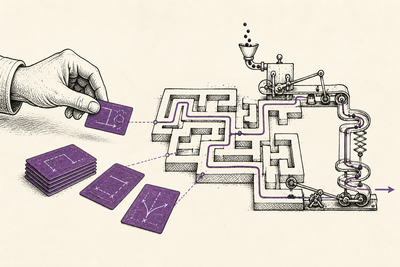
The mobile AI coding story has stopped being one story.
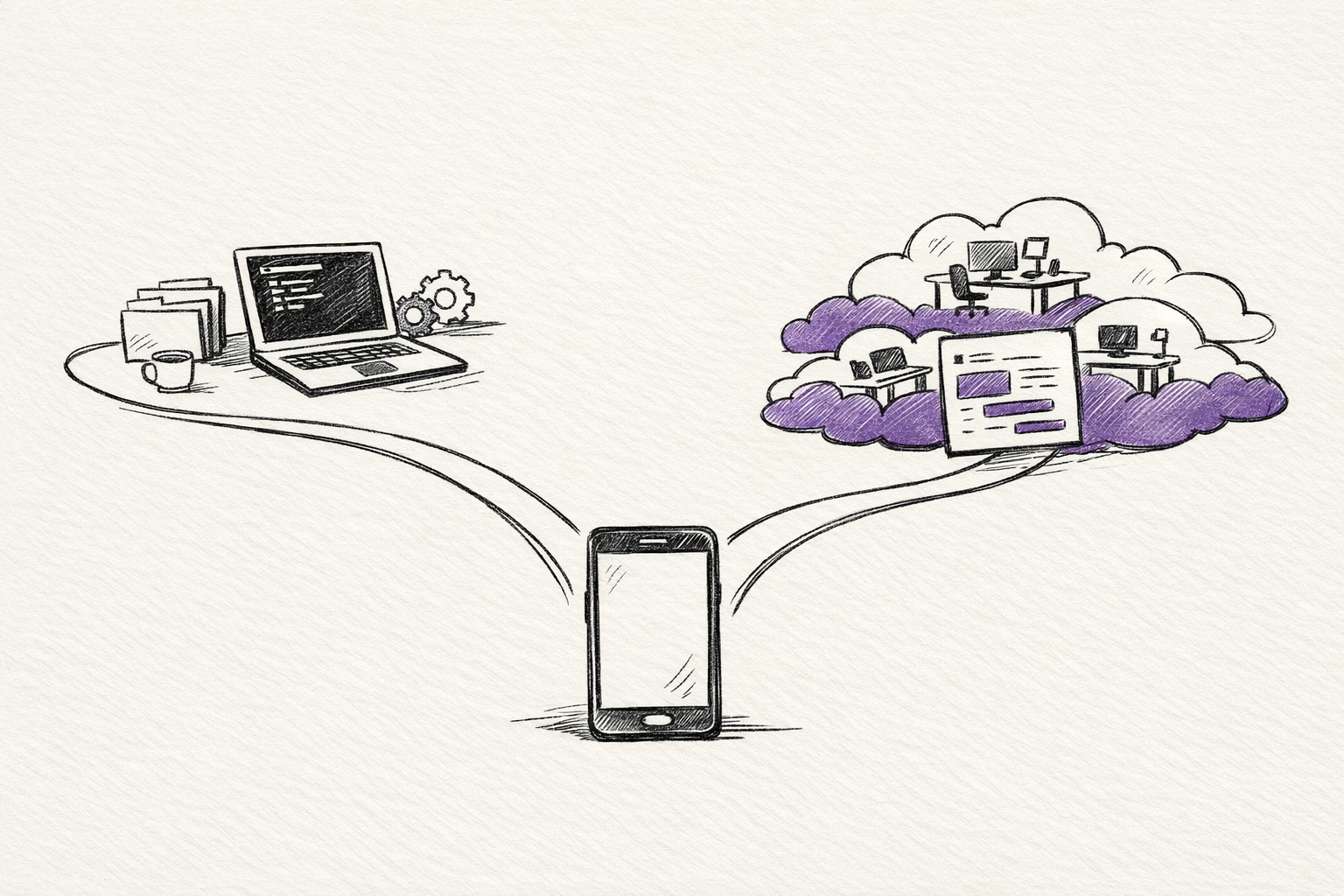
As of March 24, 2026, the most useful divide isn't Anthropic versus OpenAI.
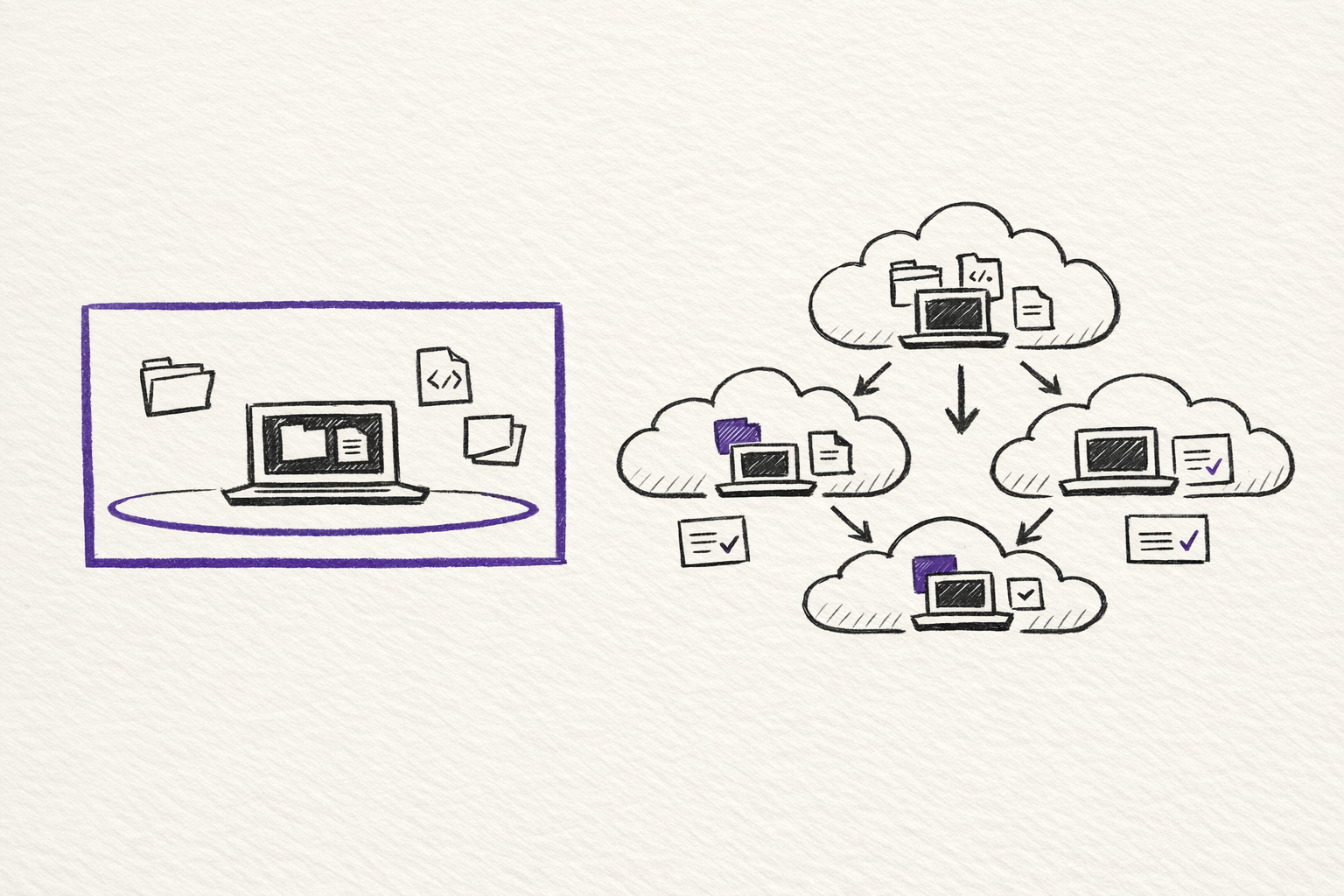
It's local supervision versus cloud autonomy.
On one side, Claude Code Remote Control, Channels, and the broader Cowork system treat the phone as a way to supervise work that is still running on your own machine. On the other side, the Codex app and Symphony push much harder toward cloud-based parallel agents and autonomous execution. Between those poles sit community tools like CCGram and Cloud CLI / Claude Code UI, which build the mobile layer themselves.
That difference changes almost everything:
- setup time
- what "mobile" actually means
- whether unattended execution is realistic
- what stays on your machine
- what gets cloned into a cloud workspace
If you only care about the fastest path from laptop to phone, start with Cowork or Remote Control.
If you want the more visual version of the comparison, I also turned this into an interactive guide: Mobile AI Coding Explorer.
If you care about unattended work, cost control, repo privacy, and whether the system stalls the moment it needs approval, the answer gets more interesting.
A practical ranking by setup complexity
This is a practical ordering, not a standards document.
It reflects how long it takes to get from zero to a working mobile or remote workflow in real use. If you sorted only by install time, the Codex app would sit higher. I am placing it later because it solves a different problem: cloud orchestration rather than phone-to-local control.
| Approach | Rough setup | What the phone is doing | Where the work runs | Best fit |
|---|---|---|---|---|
| Cowork mobile access | minutes | sending tasks to desktop Claude | local desktop VM | broader knowledge work |
| Claude Code Remote Control | minutes | live control of an existing session | local machine | quickest technical handoff |
| Claude Code Channels | 15 to 30 minutes | async messages into a live session | local machine | chat-based supervision |
| CCGram | 1 to 3 hours | Telegram control over tmux sessions | local or self-hosted machine | provider-agnostic mobile ops |
| Cloud CLI / Claude Code UI | around 1 hour | browser UI for CLI agents | local or self-hosted machine | mobile web access across providers |
| Codex app | moderate | supervising cloud or app-based agents | local app plus isolated agent workspaces | parallel review-heavy work |
| Symphony | days to weeks | monitoring autonomous work indirectly | cloud agent workspaces | issue-to-PR automation |
The real comparison starts once you stop asking which tool is "best" and start asking what kind of mobile control you actually want.
1. Cowork is the shortest path
If you look at Cowork, you can see the broader Anthropic pattern more clearly.
Cowork is not Claude Code in the terminal. It is Claude Desktop using the same agentic architecture for broader task execution. Anthropic's help docs describe it as a research preview for knowledge work beyond coding, with direct local file access, sub-agent coordination, scheduled tasks, and mobile access for Pro and Max.
I would not call this a pure mobile coding workflow.
But I would call it relevant, because it shows where Anthropic is pushing the larger operating model.
The phone is not the place where the work runs.
The phone is the place where you hand work off, check in, and pick results back up while the desktop stays awake and keeps the task moving. Anthropic is explicit that Cowork requires the desktop app, that the computer must remain awake, and that scheduled tasks only run while the machine is open and active.
That makes Cowork strong for people whose work is mixed:
- code
- files
- documents
- recurring tasks
- research synthesis
It is weaker if what you really want is raw terminal control.
So I see Cowork as adjacent rather than central.
It is part of the same local-first supervision philosophy, but aimed at a wider category of work than code.
2. Remote Control makes it accessible for a technical handoff
Remote Control is the cleanest answer anyone has shipped so far for phone-to-local coding.
The model is simple.
You start a Claude Code session on your own machine. Then you expose that exact session to claude.ai/code or the Claude mobile app. Anthropic's docs are explicit that the work stays local. Your machine makes outbound HTTPS requests, Anthropic relays the traffic, and your local tools, MCP servers, files, and project configuration stay where they already are.
This is the key point: it isn't "remote IDE in the cloud" in disguise.
It is an actual handoff of the same session.
The setup is close to trivial. Anthropic supports both claude remote-control and /remote-control, and the docs describe the QR code and session URL flow directly. In practice, this is the first setup on the list that feels like a product instead of a workaround.
It is also the cleanest expression of Anthropic's current philosophy.
The phone is for supervision. The machine at home or on your desk is still the place where the session really lives.
That gives Remote Control three concrete strengths.
First, it is the least disruptive path if you already work in Claude Code.
Second, the security model is sensible. The docs say there are no inbound ports, only outbound HTTPS, and the connection uses short-lived credentials.
Third, the mobile surface is actually native. Anthropic is not asking you to build your own bridge.
The limitations are just as important.
Remote Control still depends on the local process staying alive. Anthropic's docs say one remote session maps to one interactive Claude Code process, and that the terminal must stay open. If the process dies, the session dies with it.
That makes Remote Control excellent for continuing work away from your desk.
It doesn't make it a true unattended execution layer.
3. Channels turn the phone into an async inbox
Channels solve a different problem.
Remote Control is live steering. Channels are async injection.
Anthropic's model here is not "mirror the terminal on my phone." It is "let outside systems push messages into the session I already have running." The official preview currently includes Telegram and Discord plugins. The setup is more involved than Remote Control, but still reasonable: create a bot, install the plugin, configure the token, restart Claude Code with --channels, pair your sender ID, and then lock the policy down to an allowlist.
The important design point is that the event lands in the same live local session.
Claude does not spin up a separate cloud worker. It reads the incoming channel message, uses the same local files and tools you already had open, and replies back through the channel plugin.
That makes Channels much better for arm's-length use than Remote Control in a few cases:
- sending a task while away and checking later
- forwarding CI or monitoring events into an active debugging session
- keeping a lightweight phone interface instead of a synced terminal view
Anthropic's docs also expose the main operational catch.
The session still pauses if Claude hits a permission prompt. The docs add an important nuance here: channels that implement permission relay can forward those prompts remotely. That means the picture is now a bit better than "Channels always stall silently," but it still depends on the channel implementation and the trust model you are willing to accept. Anthropic also notes that --dangerously-skip-permissions is the unattended option when you truly want the session to keep moving.
Channels are still unmistakably a preview feature.
Anthropic says they require Claude Code v2.1.80 or later, claude.ai login, Bun for the official plugins, and explicit channelsEnabled admin approval on Team and Enterprise plans. The docs also stress that putting a plugin in .mcp.json is not enough. You have to start Claude Code with --channels.
So Channels are not the zero-friction answer.
They are the first official answer that treats your phone more like a message bus than a live console.
4. CCGram is the strongest community answer
CCGram is where the picture gets more interesting for power users.
It is also where the official product line stops mattering as much.
CCGram sits at the terminal layer, not at a provider API layer. Its model is simple: each Telegram topic maps to a tmux window running an agent CLI. Messages go in as keystrokes. Output comes back as Telegram messages. Because the bridge is sitting on top of tmux and transcripts, it can work across providers.
The cross-provider bridge is the unlock.
The GitHub repo positions it as a Telegram-to-tmux bridge for Claude Code, Codex CLI, and Gemini CLI. It also exposes the operational features you need when you're away from your keyboard: interactive prompts rendered as inline keyboards, multi-pane detection, screenshots, session dashboards, and per-topic provider selection.
This is the first option on the list that genuinely starts to feel like mobile operations for agents rather than mobile viewing of agents.
It is also the first option that makes unattended local execution feel plausible in a serious way.
Remote Control is cleaner.
Channels are more official.
CCGram is stronger when you need the bridge itself to do real work.
The cost is setup and ownership.
You are managing Telegram, tmux, hooks, environment configuration, and whatever machine stays alive underneath it. That is more effort, but it buys flexibility that the official tools still do not match.
If you want one mobile layer across multiple agent ecosystems, CCGram is still the clearest answer I have seen.
5. Cloud CLI shows what an unofficial mobile UI can do
Cloud CLI / Claude Code UI solves a different problem again.
Instead of turning Telegram into the control plane, it turns the browser into the control plane.
It is a desktop and mobile UI for Claude Code, Cursor CLI, Codex, and Gemini CLI, with responsive mobile support, an integrated shell, file explorer, git explorer, and session management. In other words, it is trying to build the missing interface layer that neither Anthropic nor OpenAI has fully unified across providers.
This is useful for one reason above all others.
It collapses several things into one surface:
- chat
- terminal
- files
- git state
- session switching
That is much closer to a real remote workstation than a one-way chat bot.
The trade-off is the familiar community-tool trade-off.
You have to host it or expose it somehow. You own the network surface. You own the reliability story. And when upstream CLIs change, you are waiting on a community project rather than a first-party team.
So I would not call Cloud CLI the easiest answer.
I would call it one of the most structurally useful answers if you want mobile browser control over several agent systems from one place.
6. The Codex app is powerful, but it is solving a different problem
The Codex app is not really a phone-to-local control tool at all.
It is a command center for parallel agent work.
OpenAI's own description is clear: the app is designed to manage multiple agents at once, run work in parallel, and collaborate with agents over long-running tasks. The product page also stresses built-in support for worktrees and isolated copies of the code so several agents can work on the same repository without conflicts. On the security side, OpenAI says Codex agents are sandboxed by default and ask for permission when they need elevated capabilities like network access.
That is a serious capability stack.
It is just a different one.
The best thing about the Codex app is not mobile control. It is structured parallelism.
If you want several agents attacking different paths at once, each in its own isolated workspace with review and diff inspection in the loop, the Codex app is much closer to the right abstraction than a phone mirroring your terminal.
Where it is weaker, for this specific article, is equally clear.
I could not find an official OpenAI equivalent to Claude Code Remote Control or Channels in the current Codex app material. That is an inference from the product surface and docs as of March 24, 2026, not an explicit OpenAI statement. The official story is app, CLI, IDE extension, web, cloud agents, and automations. It is not "scan this code and keep driving your local session from your phone."
So yes, the Codex app is powerful.
But it belongs on this list because it clarifies the split.
OpenAI is leaning harder into orchestrated agent work and cloud supervision.
Anthropic is leaning harder into local session mobility.
7. Symphony is not a phone tool. It is an operating model
Symphony is the far end of the spectrum.
Symphony turns project work into isolated, autonomous implementation runs so teams can manage work instead of supervising coding agents. It works best in codebases that have already adopted harness engineering.
Symphony is not about "how do I check on my coding session from the couch?"
It is about "how do I turn issue flow into autonomous implementation runs with proof of work?"
That makes it the most ambitious system in the set, and also the least useful if what you really want is a mobile coding surface.
The mobile story here is indirect by design.
You monitor the tracker. You review outputs. You intervene at the level of work definition and acceptance. The phone becomes a management surface, not a control surface.
That can be extremely powerful.
It is also a completely different category of commitment.
Once you are talking about Symphony, you are not evaluating a convenience feature anymore. You are evaluating whether your repository, test harnesses, issue hygiene, and team habits are ready for autonomous work dispatch at all.
Symphony belongs at the end for that reason.
It is the most capable answer here if your goal is issue-to-PR automation at scale.
It is also the answer that demands the most architectural seriousness before it becomes useful.
The real fault line is unattended execution
The most important technical difference across these tools is not whether they are mobile.
It is whether they stall.
Remote Control is excellent for supervision, but it still inherits the life cycle of the local Claude Code session.
Channels are much better for async work, but the docs still say the session pauses on permission prompts unless you have permission relay or a bypassed permission mode.
Cowork can run longer tasks, but Anthropic is also explicit that the desktop must stay open and awake.
CCGram stands out because the bridge itself is built around interactive prompts, session monitoring, and operational recovery.
The Codex app and Symphony solve the same problem from the other direction. Their answer is not "let the phone approve the prompt." Their answer is "run the work in isolated sandboxes and treat autonomy as the default operating mode."
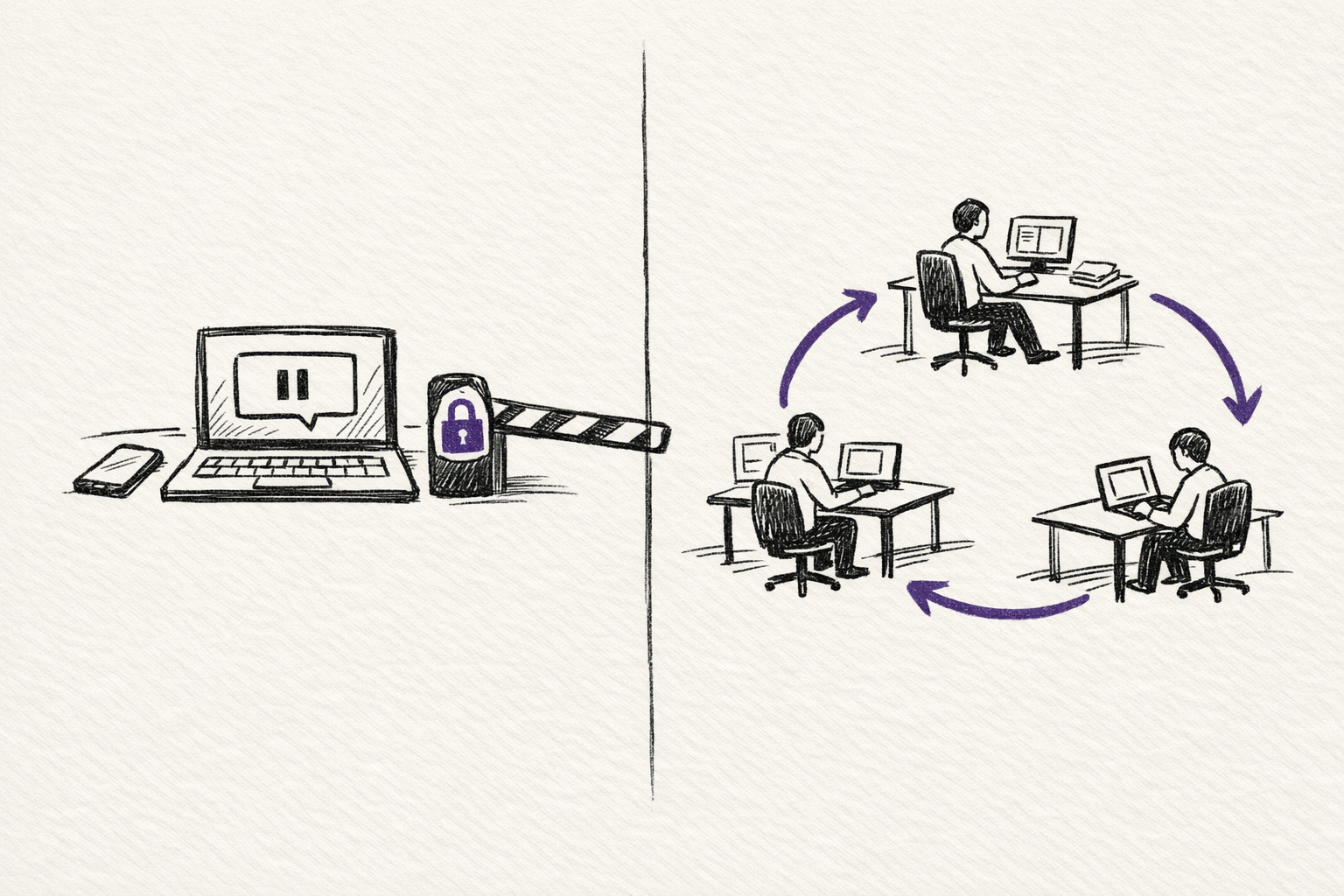
That is the split in one sentence.
Anthropic's local-first stack is better at keeping your real machine in the loop.
OpenAI's cloud-first stack is better at keeping human babysitting out of the loop.
Privacy is not a side issue here
This is another place where architecture tells you more than the marketing.
With Remote Control, Channels, Cowork, CCGram, and Cloud CLI running against your own machine, the codebase itself remains local unless you deliberately expose it some other way. The phone is a control layer over work happening on your hardware.
With the Codex app and Symphony, the center of gravity is different. OpenAI's own material describes isolated agent copies, app-based multi-agent workflows, and automations that can continue in the background. That is powerful, but it also means the operating model is much closer to cloud execution than laptop supervision.
What I would actually choose
If I wanted the simplest real mobile coding workflow today, I would start with Remote Control.
If I wanted an async message layer around a live local session, I would add Channels.
If I wanted one mobile control plane across Claude Code, Codex CLI, and Gemini CLI, I would look hard at CCGram.
If I wanted a browser-based surface over several local agent CLIs, I would consider Cloud CLI.
If I wanted parallel cloud agents with cleaner isolation and review boundaries, I would use the Codex app.
If I wanted issue-to-PR autonomy at scale, I would only touch Symphony after getting serious about harness engineering first.
That is the practical map.
Mobile AI coding is not converging on one interface.
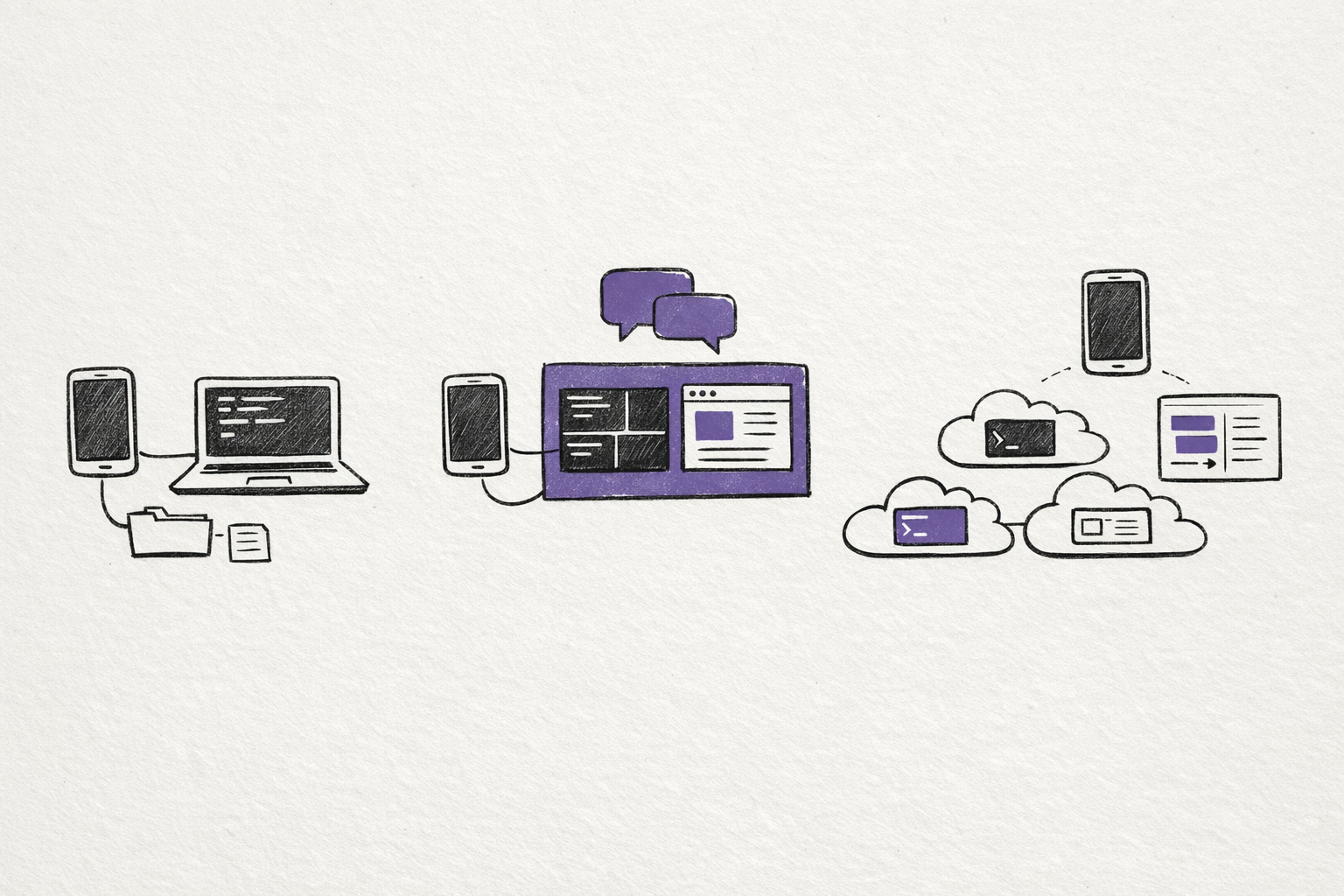
It is splitting into three layers:
- local supervision
- self-hosted bridges
- cloud autonomy
The mistake is to compare them as if they were all trying to do the same thing.
They are not.
Do you want your phone to steer your own machine, act as an inbox for a running session, or sit above a factory of agents working elsewhere?
Once you answer that, the tooling gets much easier to sort.
Try this prompt
Help me choose a mobile AI coding setup. Ask what codebase I want to work on, whether the work should run on my own machine or in the cloud, how much unattended execution I am comfortable with, and what privacy constraints matter. Then recommend a local-supervision setup, a cloud-autonomy setup, or a hybrid.
Related on this site
- Mobile AI Coding Explorer turns this comparison into an interactive guide covering local supervision, self-hosted bridges, and cloud autonomy.
- Five Levels of Claude Code Autonomy is the best follow-on if you want to think about unattended runtime, evaluation loops, and when a local session actually stops needing babysitting.
- Claude How-To Interactive Guide is the practical reference for the Claude Code commands, channels, hooks, and workflow pieces mentioned throughout this essay.